
GBP Basics
Where Your Google Business Profile Appears (and Everything You Can Add)
Your Google Business Profile helps customers find, learn about, and choose your business across Google Search, Maps, and the newest AI experiences – AI Overviews and AI Mode.
✅ Quick Answer:
Your Google Business Profile can appear in multiple places across Google and not just Search and Maps. The more complete your profile, the more information Google has available to show customers and the easier it is for them to take action.

1. WHERE YOUR BUSINESS APPEARS
Your Google Business Profile can appear in many places across Google, depending on what customers search for.
✅ Google Search (Local Pack)

Your profile can appear in the Local Map Pack at the top of the Google Search results for local queries.
📍Google Maps

Your business can appear in Google Maps when customers search for businesses near them or browse the map.
ℹ️ Knowledge Panel (Desktop Search)

The Knowledge Panel is the information box that appears on the right side of Google Search on desktop when someone searches for your business by name.
✨ AI Overviews

AI Overviews may reference information from your profile when it’s relevant to the user’s search to provide helpful answers.
AI Overviews are rolling out to more searches and locations.
🤖 AI Mode (Search)

AI Mode can use Google’s understanding of local businesses to answer conversational questions and recommend nearby options.
Appearances depend on many factors, including your relevance to the search, distance, and prominence. Learn more on our page: How Rankings Work.
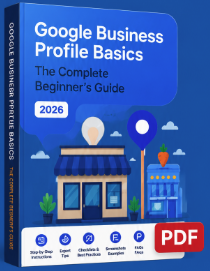
Want The Complete Guide?
Get the full 46-page guide with step-by-step instructions, checklists, screenshots, and expert tips.
✅ How GBP Works
✅ Step-by-Step Guide
✅ Expert Tips
✅ FAQs
✅ Related Guides and Checklists
2. WHAT INFORMATION YOU CAN ADD
You can add a wide range of information to help customers learn about your business and take action.
BUSINESS BASICS
🗂️ Business Name
🏷️ Primary Category
➕ Additional Categories
📍 Address / Service
Area
📞 Phone Number
🌐 Website
🕒 Business Hours
📅 Special Hours
BUSINESS DETAILS
📝 Business Description
⭐ Attributes
📅 Opening Date
🏢 Business From
♿ Accessibility
🌐 Languages
PRODUCTS & SERVICES
🛍️ Products
🛠️ Services
🍽️ Menu
📅 Booking
🛒 Ordering
📆 Appointments
PHOTOS & VIDEOS
⭕ Logo
🖼️ Cover Photo
🏠 Interior Photos
🏢 Exterior Photos
👥 Team Photos
🛍️ Product Photos
🎥 Videos
CUSTOMER ENGAGEMENT
🌟 Reviews
❓ Questions & Answers
📋 Google Posts
💬 Messaging
📞 Calls
📍 Directions
BUSINESS BASICS
🔍 Searches
🌐 Website Visits
📞 Calls
📍 Direction Requests
💬 Messages
📅 Bookings
EXPERT TIP
The more complete and accurate your Google Business Profile is, the more trust you build with customers and the more opportunities you have to show up across Search, Maps, AI Overviews and AI Mode.

THE CUSTOMER JOURNEY

(Need or Question)


(Need or Question)
RELATED GUIDES
› What Is Google Business Profile?
› How Google Business Profile
Works
› How to Create & Verify Your Profile
› How Google Ranks Local
Businesses
Ready to Improve your Local Visibility?
Have questions or want to go deeper? You don’t have to figure it out alone.
Here are 3 easy ways to get personalized help.
Get Your Free Local
Visibility Leak Report
✅ See what’s missing or
incomplete
✅ Discover Local SEO
opportunities
✅ Find inconsistencies
across Google
✅ Get practical
recommendations

Takes less than 2 minutes! And Free!
Let’s Chat! Ask More Questions
Book a free 30-minute discovery call and let’s talk through your business.
🟢 Ask anything about your profile
🟢 Get expert insights
🟢 No sales pitch, just real answers
🟢 100% free, no obligation

Other Ways to Reach Me
I’m here if you prefer to connect directly.
📞 Call or Text: (443) 405-2858
✉️ Email: blue.post@nearmemaster.com

Every successful Google Business Profile starts with accurate information and regular updates.